Why Unplugging Matters More Than You Think (The Phantom Load)
Let us be honest. In the chaos of packing suitcases and arranging pet care, remembering to unplug the toaster is probably low on your priority list. There is a quiet, invisible drain happening in your kitchen, living room, and laundry room right now. It is called phantom load, or standby power.
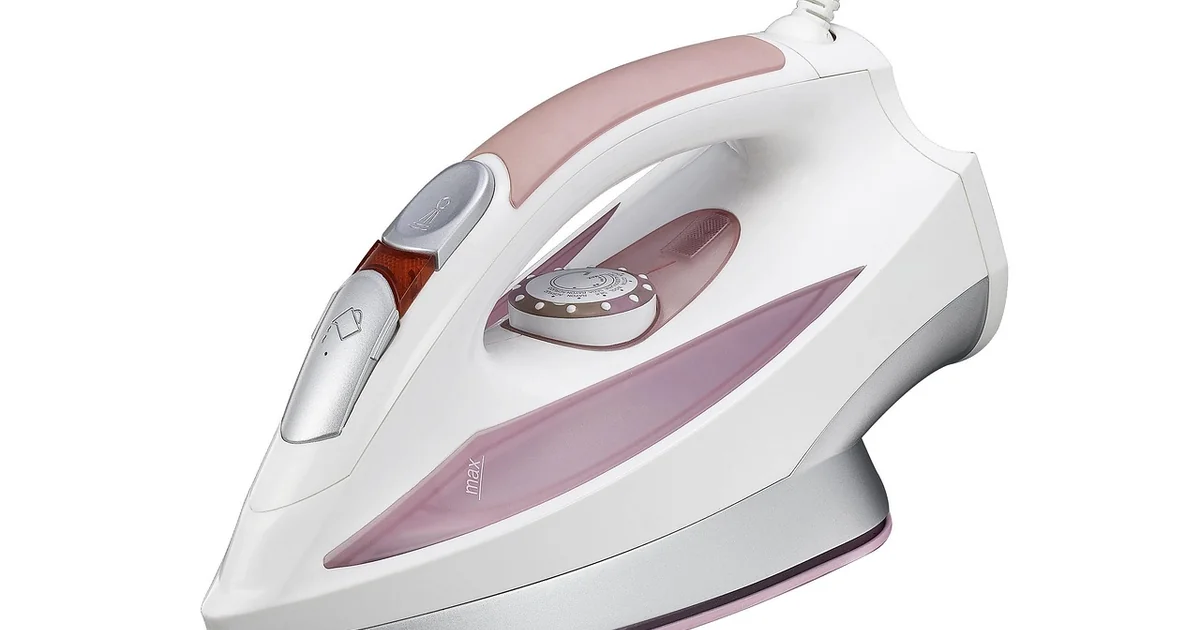
Standby power is the electricity consumed by an appliance when it is switched off or in a standby mode. Think of the glowing clock on your microwave or the little red light on your television. These tiny conveniences add up. Research indicates that standby power can account for between 5% and 10% of a home’s total electricity use. For a family going on a two-week vacation, that translates to wasted energy powering nothing but a few LEDs and internal sensors. Unplugging eliminates this waste entirely. It also dramatically reduces the risk of electrical fires and water damage while you are away.
Walking through your home room by room is the most effective way to tackle this task. Below is a detailed checklist of the eleven specific devices you should disconnect before you lock the front door.
1. Small Kitchen Countertop Appliances
Coffee makers, toasters, electric kettles, and air fryers are classic culprits. Many have internal clocks or touch-sensitive panels that remain active even when the appliance is not in use. A coffee maker with a programmable timer is essentially running a small computer 24/7. Unplugging them is a zero-effort way to save energy. It also protects the sensitive electronics inside these devices from a power surge while you are gone.
2. Televisions and Home Entertainment Systems
Modern televisions are essentially large computers. They draw power even when turned off because they are listening for a signal from your remote control. A home theater setup with a soundbar, subwoofer, and receiver can consume nearly as much power in standby as it does when playing at low volume. Unplugging the entire entertainment center at the power strip is a quick win for your energy bill.
3. Cable Boxes and Streaming Devices
Cable boxes are notorious energy hogs. Many never truly turn off; they simply dim their lights and continue to download guide data and software updates. Streaming sticks like Roku or Apple TV also draw power constantly. Unplugging them for two weeks can save a surprising amount of energy. As a bonus, this forces a hard reset, which often clears up glitchy performance and buffering issues when you return home.
4. WiFi Routers and Modems
This is a tough one for many families. However, if you are going on vacation, you do not need WiFi. Unplugging the router and modem saves energy and protects them from power surges. It also gives your entire home network a healthy reboot. If you rely on a smart home hub for security cameras or lights, you might need to keep the router on. In that case, consider a smart plug that can be scheduled to turn off non-essential devices while keeping the router active for your security system.
5. Desktop and Laptop Computers
A desktop computer in sleep mode still draws a measurable amount of power. A laptop left plugged in at full charge continues to trickle charge, which can degrade the battery’s long-term health. Shut them down completely and unplug them. This provides 100% protection against a power surge frying your expensive hardware. Do not forget the peripherals either. Printers, scanners, and external hard drives should all be disconnected.
6. Phone and Device Chargers
This is a major safety point. A charger that is plugged into the wall but not connected to a phone still draws a small amount of power. More importantly, a faulty or cheap charger left plugged in is a genuine fire hazard. If a power surge occurs, a low-quality charger can overheat and spark. Make it a habit to walk through the bedrooms and living areas to collect and unplug every single charger before you leave.
7. Gaming Consoles
PlayStation, Xbox, and Nintendo Switch consoles are powerful machines. They use significant power in standby mode, especially if they are set to download game updates and system patches automatically. A console left in “instant-on” mode can consume almost as much power as when it is actively being played. Unplugging them ensures they are safe from surges and stops that unnecessary energy drain completely.
8. Dishwasher
This is about more than just energy. A dishwasher left plugged in is vulnerable to power surges that could damage its sensitive control board. More critically, you should turn off the water supply to the dishwasher. A burst hose or a stuck valve while you are away can cause catastrophic water damage to your floors and cabinets. Before you leave, run a cleaning cycle, unplug the unit, turn off the water valve, and leave the door slightly ajar to prevent mold and mildew from forming.
9. Washing Machine and Clothes Dryer
Similar to the dishwasher, these appliances have electronic control panels that can be damaged by power surges. The dryer poses a specific fire risk if lint has built up inside the machine or the exhaust vent. While you are unplugging it, take the extra minute to clean the lint trap thoroughly and inspect the vent hose. This simple act eliminates a major fire hazard and gives you peace of mind.
10. Air Purifiers, Fans, and Space Heaters
These are seasonal appliances that are often left plugged in out of convenience. Space heaters are a significant fire risk, even when turned off, if they are accidentally knocked over or if their internal components fail. Air purifiers and fans are not essential to your home’s maintenance while you are out of town. Unplugging them is a non-negotiable step for safety and energy conservation.
You may also enjoy reading: 5 Things That Make Your House Feel Messier Than It Is.
11. Smart Home Hubs and Voice Assistants
Devices like Amazon Echo, Google Nest Hub, or smart plugs themselves draw power constantly. While you might want to keep one security camera active for peace of mind, the rest of your smart home devices can be safely unplugged. This reduces your home’s digital footprint while you are away and saves a small amount of energy. It also prevents the risk of a voice assistant accidentally triggering something while no one is home.
Frequently Asked Questions About Unplugging Appliances for Vacation
It is normal to have questions about this process. Here are the answers to the most common concerns people have when they decide to unplug appliances vacation style.
What if I have a smart home system that relies on WiFi to control lights or security?
You do not need to unplug everything. If your security system or cameras rely on WiFi, keep the router and the specific smart home hub plugged in. You can use a smart plug to create a schedule that turns off non-essential devices, like the TV or coffee maker, while keeping the router active for your security needs.
How do I remember which appliances to unplug without spending hours checking everything?
Create a simple checklist on your phone or keep a physical list in your travel bag. Walk through your home room by room. Start in the kitchen, move to the living room, then the bedrooms, and finally the laundry room. This systematic approach takes less than ten minutes and ensures you do not miss anything.
Why does unplugging a charger prevent a fire hazard even when nothing is attached?
A charger converts high-voltage AC power from your wall into low-voltage DC power for your device. If the internal components of the charger fail, or if a power surge hits your home, the charger can overheat and spark. Unplugging it removes the electrical connection entirely, eliminating the risk of a short circuit or fire.
What about appliances with digital clocks that I need to reset after vacation?
Yes, you will have to reset the clock on your microwave, oven, and coffee maker when you return. This takes about thirty seconds. The energy savings and the safety benefits of unplugging these devices far outweigh the minor inconvenience of resetting a few clocks.
Can I just flip the breaker for the whole kitchen instead of unplugging each appliance individually?
You can, but you must be very careful. Flipping the breaker for the kitchen will also cut power to the refrigerator and freezer, which must stay running while you are away. It is much safer and more precise to unplug individual countertop appliances rather than risk spoiling a week’s worth of groceries.
Walking out the door for a vacation should feel exciting, not stressful. By spending a few minutes to disconnect these eleven appliances, you are actively preventing potential disasters, lowering your carbon footprint, and keeping more money in your pocket. It is a small habit that delivers real peace of mind.