
When work appointments, school events, practices, meal plans, and household jobs live in separate places, the problem is not usually a lack of information. It is that nobody can see the same plan at the same time. The Apolosign Digital Calendar addresses that fragmentation by putting compatible calendars, routines, lists, meals, reminders, and family notes on one shared touchscreen.
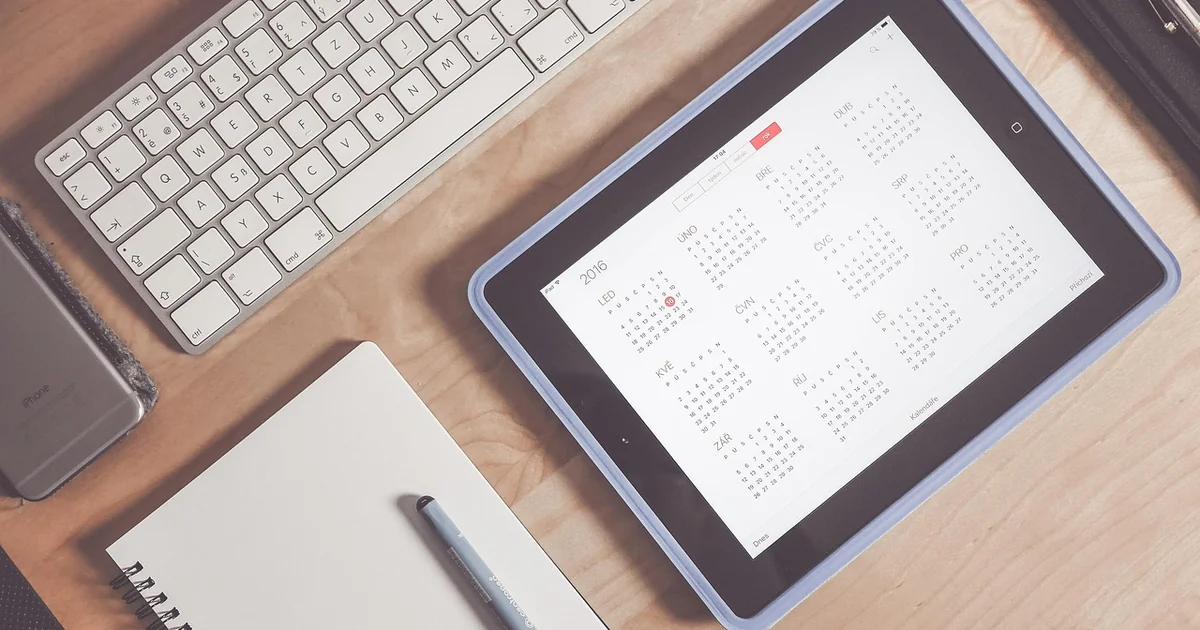
That makes it a visible household hub rather than another personal calendar app. It can reduce missed handoffs and repeated “What time is practice?” messages, but it still depends on thoughtful setup. The screen works best when every family member knows which calendar to use, who updates changes, and where the display belongs.
How Apolosign Brings Separate Family Calendars Together
Apolosign says its calendars can sync events from Google Calendar, iCloud, Outlook, Yahoo, Cozi, and other services. Each person’s events can be color-coded, allowing a parent to scan the screen and distinguish work, school, sports, and household commitments without opening several apps.
The companion mobile app adds an important layer: family members can manage calendars, routines, to-do lists, and rewards when they are away from the display. According to Apolosign’s software page and release notes, iCloud gained full two-way synchronization in an April 2026 update, while Google Calendar supports importing multiple calendars through one authorization.
Two-way synchronization means that a supported event can be edited and the change can flow back to the connected calendar rather than remaining only on the Apolosign screen. Support can vary by provider and software version, however, so check the current instructions for the calendar service your household actually uses before buying.
A Realistic Tuesday on One Screen
Suppose one parent has a dentist appointment at 2 p.m., a child has soccer at 4 p.m., and another adult has a work deadline at 5 p.m. A shared display makes the collision visible early enough to decide who will handle transportation. The calendar does not solve that conflict automatically; its value is that it gives everyone the same information soon enough to act.

Amazon US Verified
Little Spot of Emotion 8-Book Box Set
Engaging visual books and plushies that help children identify and regulate feelings.
What the Digital Calendar Can Organize Besides Events
The calendar is more useful when the family treats it as a light household dashboard instead of filling it with every possible detail. Its current organization features include:
- Routines and chores: Adults can assign recurring tasks and associate completed work with points or rewards.
- Color-coded to-do lists: These can cover groceries, shopping, packing, or household jobs.
- Meal planning: Families can plan meals and save recipes in one visible place.
- Message Board: Notes, reminders, and countdowns can replace some of the paper notices on the refrigerator.
- Photo and screensaver options: The display can show photos, a clock, calendar information, or personal media when the main schedule is not needed.
Using Chore Rewards Without Creating More Work
The points system can make responsibilities more visible, but the reward does not have to be expensive or tied to screen time. A child might earn points toward choosing Friday’s meal, picking the family game, or staying up slightly later on the weekend. Use a short list of age-appropriate tasks, define what “done” means, and review it consistently. If parents create dozens of chores and rarely approve them, the dashboard simply becomes another neglected system.
Amazon US Verified
Daily Visual Routine Chart for Toddlers
Interactive morning/bedtime chore chart that empowers independence and calm transitions.
Calendar Mode and Android Mode Serve Different Purposes
Apolosign describes the product as a dual-mode calendar. Calendar Mode focuses on events, chores, tasks, and rewards. Android Mode allows owners to download compatible apps and arrange widgets into a personalized dashboard. This can bring in weather, music controls, smart-home information, photos, or other tools available through Android.
That flexibility is useful, but it also creates a decision: do you want a quiet planning surface or another entertainment screen? Families who are easily distracted may prefer to keep the device mostly in Calendar Mode. If children can access Android apps, adults should review app permissions, account settings, purchases, and age-appropriate restrictions rather than assuming the calendar itself provides every parental-control safeguard.
Which Apolosign Calendar Size Fits the Space?
The lineup includes 15.6-inch, 21.5-inch, and 27-inch displays, plus a 27-inch 4K model. The smallest version includes both a desktop stand and wall-mount bracket. Apolosign says the 21.5-inch and larger calendars include a wall mount rather than a desktop stand.
| Size | Best suited to | Important consideration |
|---|---|---|
| 15.6 inches | Counter, desk, or smaller kitchen | Easier to place, but detailed schedules may be harder to read from across a large room |
| 21.5 inches | Central wall in a kitchen, hallway, or family command area | Needs an appropriate wall location and nearby power |
| 27 inches | Busy households that want more at-a-glance space | Measure the wall and normal viewing distance before ordering |
| 27-inch 4K | Large, detailed dashboards and photo display | The sharper resolution may matter less if the calendar is viewed mainly from a distance |
All four current calendar sizes are touchscreen models. Screen size should not be the only deciding factor. Check whether the mounting height is comfortable for shorter family members, whether glare will affect visibility, and whether the power cable can be routed safely. The best location is a place everyone naturally passes, not a wall that looks attractive but is rarely seen.

Amazon US Verified
Montessori Wooden Step Stool & Kitchen Helper
Safe enclosed toddler tower allowing young children to participate at counter height.
Does Apolosign Require a Subscription?
Apolosign states that its calendar currently has no subscription plans and that calendar, chores, rewards, to-dos, and the photo screensaver are included without a recurring fee. That is more useful than estimating savings against unrelated apps, whose plans and prices can change.
“No subscription” does not mean every outside service is free forever. A third-party Android app, streaming platform, cloud-storage service, or other connected product may have its own charge. Buyers should also understand that connected features depend on continued software support and compatibility with external calendar providers.
You may also enjoy reading: Decluttering Expert Shares Exactly How She Organized the Home.
How the Portable Smart TV Fits Into the Family Setup
Apolosign’s portable smart displays are a separate product line, but current 24-inch and 32-inch models include a dashboard that can sync with the Apolosign Calendar. This means a household schedule, weather, to-dos, and smart-home information can be available on a movable screen as well as the wall calendar.
Both models run Android, support touchscreen and remote interaction, and include wheels, Wi-Fi, Bluetooth, HDMI, built-in speakers, and a camera intended for video calls. The 24-inch model has a 1080p display and a claimed battery life of up to four hours. The 32-inch line is offered in 1080p and 4K configurations and is rated for up to six hours. Apolosign bases those battery estimates on Wi-Fi video streaming at 50% brightness, so real runtime will vary with brightness, apps, volume, network conditions, and battery age.
Portable Does Not Mean Weatherproof
A rolling screen can be convenient in a kitchen, bedroom, home office, or on a dry patio near the house. Before using one outdoors, check the manual for temperature, moisture, and storage limits; the product pages do not describe these displays as weatherproof. Keep the device away from rain, sprinklers, pools, unstable ground, and prolonged direct sun. Lock or stabilize the wheels where appropriate, and do not leave a large screen unsecured in a moving vehicle.
Privacy and Security Questions to Consider
A family dashboard can contain names, locations, routines, photos, and appointment details. Put only the information on the shared display that everyone in the room should be able to see. Apolosign offers a privacy cover that can hide calendar information behind a photo, but a visual cover is not a substitute for good account security.
- Use a dedicated household account where practical instead of exposing an adult’s entire work or personal calendar.
- Share only the calendars needed for coordination.
- Use strong, unique passwords and enable multi-factor authentication on connected Google, Apple, or Microsoft accounts.
- Review Android app permissions and remove apps the household no longer uses.
- Install system and app updates promptly.
- Avoid displaying sensitive medical, school, travel, or location details where visitors can read them.
What Happens If Wi-Fi Is Unavailable?
Calendar synchronization, remote changes, streaming, and other online services require a network connection. Do not assume every feature or recently changed event will remain available during an outage unless Apolosign’s current support documentation explicitly confirms it. A sensible backup is to keep essential addresses, pickup contacts, and emergency information somewhere accessible offline.
Who Will Benefit Most From an Apolosign Family Digital Calendar?
This type of display makes the most sense for households that already use digital calendars but struggle to make those plans visible to everyone. It can also suit families that want chores, lists, meals, messages, and schedules in a single interface without paying a monthly calendar fee.
It may be less useful if the household rarely updates digital calendars, has no convenient always-powered location, or prefers a simple paper board. A portable TV adds flexibility, but it is not necessary to gain the calendar’s core benefits.
A Simple Setup That Families Can Maintain
- Choose one color for each person or major calendar.
- Import only active calendars so the display stays readable.
- Place the screen where the family already gathers or passes each morning.
- Create a small number of recurring chores and useful lists.
- Hold a five-minute weekly review to resolve conflicts and remove outdated items.
- After two weeks, keep the widgets people actually check and remove the rest.
Apolosign’s strongest answer to schedule fragmentation is visibility: compatible calendars and household tasks become one shared reference point. The technology can make coordination easier, but the lasting improvement comes from a simple family habit—everyone updates the same system and checks it before the week gets busy.
As an Amazon Associate, azuloz.com earns from qualifying purchases.